Success Story · Harmonizing warehouse processes
ITT Cannon brought warehouse and inventory processes back to the SAP standard. Mobile UI5 dialogs make warehouse work easier, and the Mobile Builder follows.
ITT Cannon Read storySorry, item "offcanvas-col1" does not exist.
Sorry, item "offcanvas-col2" does not exist.
Sorry, item "offcanvas-col3" does not exist.
Sorry, item "offcanvas-col4" does not exist.
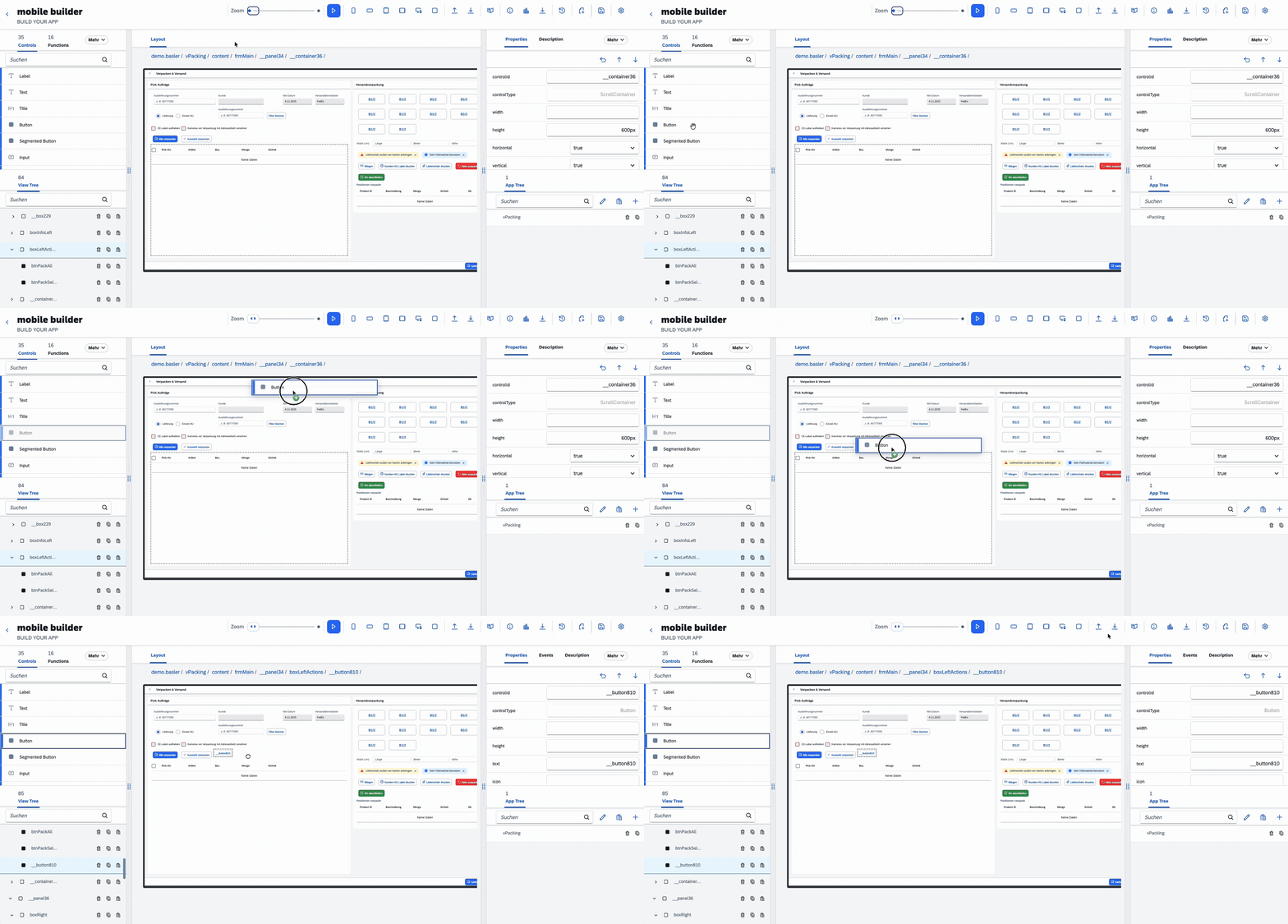
You build Fiori apps by drag and drop directly in your SAP system, without middleware. This works on-premise, in the private cloud and in the SAP Public Cloud.
 App designer
As soon as a process deviates from the SAP standard, the waiting begins: for IT, for budget approval, for the next release. Until then people make do with paper.
Every process change becomes a project and lands behind twenty other tickets.
Lists, route cards and Excel sheets. What appears once often stays for years.
Three people know the special processes. If one is out, the process stops.
Rebooking, double entry and troubleshooting. Nobody plans for these costs.
The Mobile Builder runs as an ABAP application in your SAP system, with no middleware and no data leakage. Authorizations, documents and logs stay in the system.
You write no frontend code. The app runs on the devices you already have: scanner, industrial tablet or smartphone with scan grip.
You define what should happen at the workplace: fields, checks, postings.
Assemble building blocks by drag and drop, with AI support during setup.
Live in the SAP system on any device. Changes take days instead of a release cycle.
You will find more on features and typical use cases on the Mobile Builder website.
Picking, packing tables and mobile warehouse processes.
Confirmations, material consumption and shop floor dialogs.
Notifications, checklists and mobile data capture.
Inspection processes, documentation and individual workflows.
The app opens in the browser. You do not have to install anything on the devices.
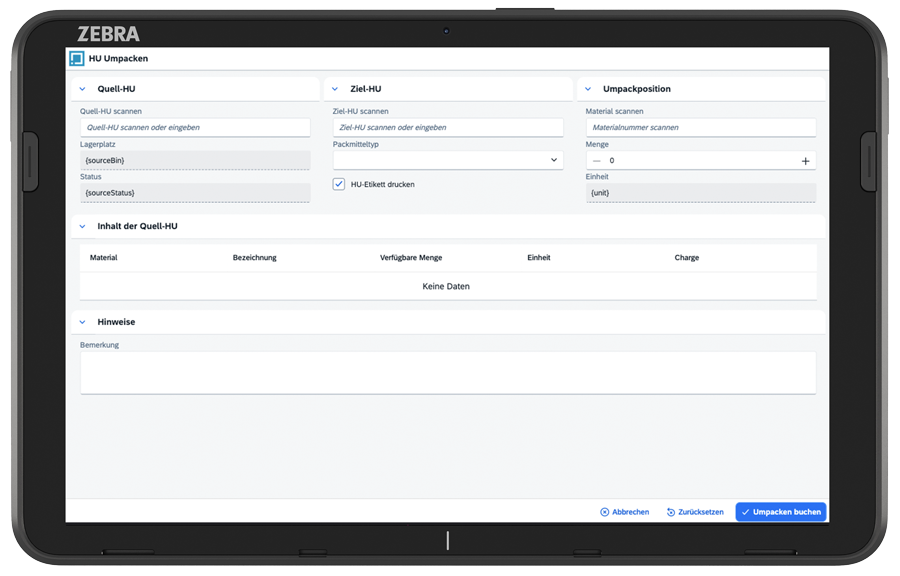
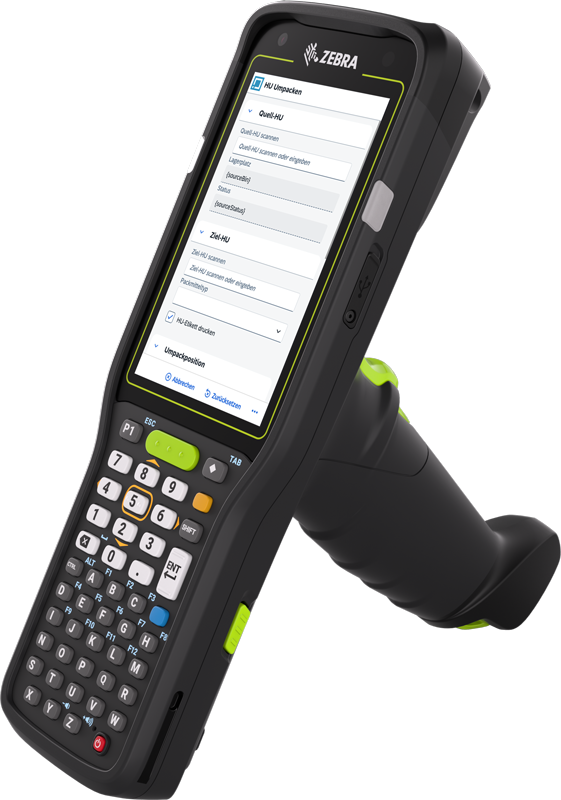
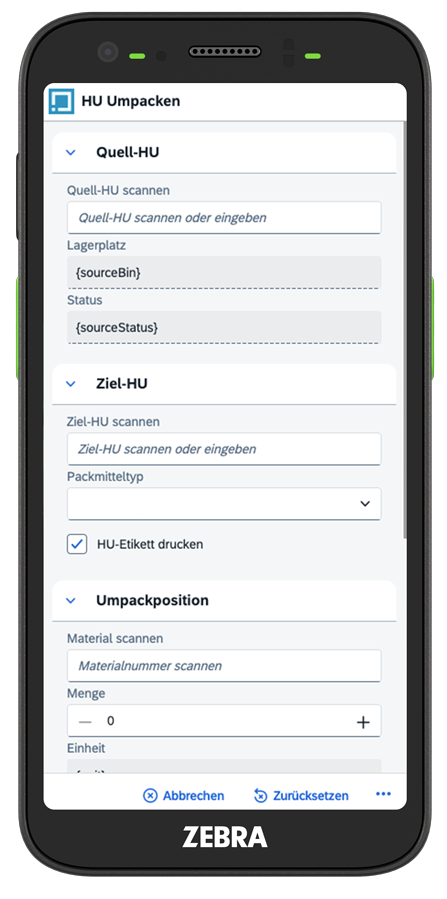
A modern, role-based SAP interface for every device.
To Fiori & UI5Turns the mobile screens of SAP EWM and WM into responsive UI5 apps.
To UI5 ConverterWarehouse management for complex and automated warehouses.
To EWM & MFSThe basic functions of SAP WM in S/4HANA for simple warehouses.
To WM & Stock Room ManagementReal-time data, mobile processes and prioritized transport orders in the warehouse.
To HPC.Warehouse MonitorFinance, procurement, supply chain and sales on one shared data basis.
To SAP Cloud ERPAnswers to what companies ask us most often before they start.
Whether as a start to process digitization or for a specific requirement: together we find out how the Mobile Builder supports you. Write directly to someone on the team or use our contact form for a free initial consultation.
Wir verwenden Cookies und ähnliche Technologien. Notwendige Cookies sorgen dafür, dass unsere Website funktioniert. Mit Ihrer Einwilligung nutzen wir außerdem Statistik-Cookies, um die Website zu verbessern, und binden externe Medien wie YouTube-Videos ein.
Mit „Alle akzeptieren“ willigen Sie in alle Kategorien ein, mit „Auswahl akzeptieren“ nur in die gewählten. Ihre Einwilligung können Sie jederzeit über „Cookie-Einstellungen“ im Footer widerrufen. Weitere Informationen finden Sie in den Cookie-Details und in unserer Datenschutzerklärung.
Weitere Informationen zu den einzelnen Cookies finden Sie in unserer Datenschutzerklärung.
Hit enter to search or ESC to close